

Prompt caching reuses a model's stored internal state for an exact-match prefix instead of recomputing it on every request, which is why it cuts both time-to-first-token and input-token cost for workloads with repeated system prompts, tools, or schemas. It only helps when a meaningful chunk of your prompt stays identical across calls. Tune three things to make it work: breakpoints, TTL and retention, and prompt_cache_key routing.
TL;DR:
- Prompt caching delivers the highest savings when a large, stable prompt prefix is reused at least a few times, establishing a pattern of frequent cache hits.
- Proper routing keys and TTL settings are essential to maintain cache locality and maximize hit rates, especially for workloads with predictable traffic patterns.
- Exact token match requirements limit prompt caching’s effectiveness when prompt structure changes often or includes volatile elements like timestamps or user IDs.
- Semantic caching can handle paraphrased queries but introduces complexity, costs, and potential security risks that prompt caching avoids with exact matches.
- The total cost benefits materialize after the second or third reuse of a prefix, as cache write costs are higher upfront but amortized over multiple hits.
Table of Contents
- What Is Prompt Caching and How Does It Work?
- Is Prompt Caching the Same as Semantic Caching?
- What Provider Settings Actually Control Caching Behavior?
- How Do You Measure Whether Caching Is Actually Working?
- Which Prompt Structures Maximize Cache Hits?
- Does Prompt Caching Actually Save Money at Scale?
- What Are the Security Risks of Caching LLM Responses?
- How Do You Ship Prompt Caching in a One-Week Sprint?
- When I Decide Prompt Caching Belongs in an MVP
- Where to Read More on Prompt and Semantic Caching
- Sources
- FAQ
What Is Prompt Caching and How Does It Work?
Every time a large language model processes a prompt, it converts each token into a set of internal vectors called KV tensors, short for key and value tensors, generated during the attention computation. Building these tensors is the expensive part of inference. Prompt caching stores that computed state for a given prefix so the next request with an identical prefix skips recomputation and starts generating tokens almost immediately.
The mechanism depends on exact-prefix hashing. The provider's inference engine walks token by token from the start of your prompt, checking how far the current request matches a previously cached prefix. The moment the tokens diverge, that's the cutoff point, called a breakpoint. Everything before the divergence gets served from cache; everything after gets computed fresh. This is why prompt caching only fires on identical prefixes, not paraphrases or reordered content. OpenAI's cookbook on prompt caching documents latency reductions of up to roughly 80% and input-token cost cuts of up to roughly 90% in workloads with long, stable prefixes, though the real number depends heavily on how much of your prompt is actually reusable.
Here's the detail most engineers miss until they hit it in production: cached state is machine-local. The KV cache lives in the memory of whatever physical inference server handled the original request. If your next request gets routed to a different machine, there's no cache to hit, full stop. Providers route incoming requests using hashing or keys to enhance the chance related requests land on the same machine, though routing is not guaranteed
That's where prompt_cache_key comes in. It's a string you supply that tells the routing layer "these requests belong together," which increases stickiness to the same machine and therefore your effective hit rate. Anthropic's prompt caching documentation describes this routing behavior directly: without a consistent key, high-traffic prefixes can spread across multiple machines and each one needs its own cold cache write before it starts paying off.
A few mechanics worth internalizing before you touch any code:
- Cache hits require byte-for-byte identical tokens up to the breakpoint, not semantic similarity.
- The engine checks the longest previously-cached prefix first, then works backward if there's a partial mismatch.
- A single character changed anywhere before your breakpoint invalidates the cache for everything after it.
- Machine-locality means horizontal scaling and cache hit rate are in tension unless you manage routing deliberately.
Get the mental model right here and the rest of this guide, TTL settings, monitoring fields, cost math, all snaps into place faster.
Is Prompt Caching the Same as Semantic Caching?
No, and conflating the two is one of the most common mistakes I see in early LLM integrations. Prompt caching is a provider-native feature that reuses internal model state for exact-match prefixes. Semantic caching is a separate architecture you build yourself, typically backed by a vector database, that returns a previously generated response when a new query is similar enough to one you've already answered.
Redis's comparison of the two approaches draws the line clearly: prompt caching only triggers on exact token matches, while semantic caching relies on cosine similarity thresholds, often somewhere between 0.85 and 0.95, applied to vector embeddings of the query. Microsoft's implementation guide for Azure Cosmos DB notes typical embedding sizes of 768 to 1,536 dimensions, with similarity search adding roughly 5 to 20 milliseconds of overhead, a cost worth paying when it spares you 1 to 5 seconds of full LLM inference on what would otherwise be a cache miss.
The operational tradeoffs split cleanly:
- Prompt caching is lower-latency and effectively free to adopt if your provider supports it. You're not maintaining infrastructure, just structuring your prompts well.
- Semantic caching handles paraphrased or reworded queries that prompt caching will never match, but it requires you to run and tune a vector store, pick and monitor a similarity threshold, and handle cache staleness yourself.
- Semantic caching introduces a genuinely hard algorithmic problem. Recent research on semantic caching shows the offline-optimal eviction policy is NP-hard, and even well-tuned heuristics like SphereLFU only approximate it.
- Integrity risk differs sharply between the two. Prompt caching's exact-match requirement makes it nearly impossible to poison accidentally. Semantic caching's similarity threshold creates room for collision attacks, which I cover in the pitfalls section below.
For most SaaS backends with stable system prompts, RAG instructions, or tool schemas, prompt caching alone covers the bulk of the win. Semantic caching earns its complexity when your traffic genuinely repeats meaning rather than tokens, think customer support bots answering the same underlying question phrased fifty different ways.
What Provider Settings Actually Control Caching Behavior?
The controls that matter fall into four buckets: breakpoints, TTL and retention, routing keys, and billing. Get these wrong and you'll either pay for cache writes that never pay off or silently lose your hit rate without knowing why.
Breakpoints mark where the cacheable prefix ends. Some providers detect this implicitly by hashing your token stream against prior requests; others require you to mark an explicit breakpoint in the request payload, which gives you more control over exactly what gets cached and gives the engine a clean signal about where your stable content stops and volatile content begins. Explicit breakpoints typically come with a limit on how many you can define per request, so treat them as a scarce resource: one for your system prompt and tools, maybe one more for a large RAG context block, not one per sentence.
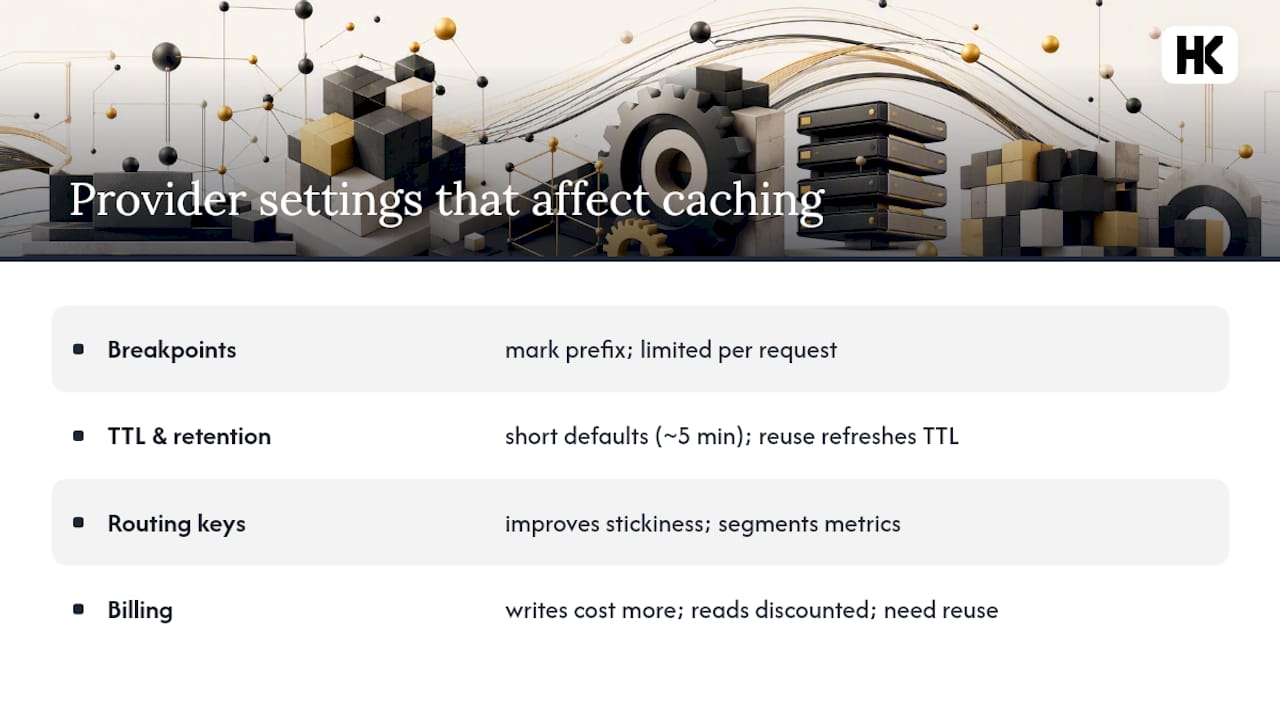
TTL and retention determine how long cached state survives before eviction. Default TTLs tend to be short, on the order of 5 minutes, which is enough for bursty traffic but not for anything with gaps between requests. Amazon Bedrock's documentation on extended prompt caching confirms providers increasingly offer longer options, including one-hour durations, alongside model-specific minimum token thresholds a prefix must hit before it's even eligible for caching. A useful detail buried in most vendor docs: reusing a cached prefix refreshes its TTL, so an actively hit cache entry can stay warm indefinitely without ever needing a fresh write.
prompt_cache_key does double duty. It improves routing stickiness to the same physical machine, and it segments your monitoring so you can measure hit rate per logical prompt type rather than as one blended average. Watch the throughput ceiling here.
Statistic: Per-prefix request limits exist, beyond which excess traffic overflows to new machines causing one-time cache misses, according to OpenAI's cookbook guidance. Each overflow is a one-time cache miss while the new machine writes its own copy.
Billing splits into cache writes and cache reads, priced differently. Cache write operations cost more than normal input tokens while cache reads are charged at discounted rates That asymmetry is the whole ROI calculation, and it only pays off once a prefix gets reused enough times to amortize the write premium.
How Do You Measure Whether Caching Is Actually Working?
You can't tune what you don't log. Every response from a caching-enabled provider includes fields that tell you exactly what happened on that request, and ignoring them is the single most common reason teams think caching "isn't worth it" when really they never verified it was firing.
Log these fields on every request, not just during debugging:
cached_tokens(or the provider equivalent) tells you how many tokens in the prompt were served from cache rather than recomputed. This is your ground truth for hit rate.cache_write_tokenstells you how many tokens got newly written to cache on this request, meaning it was a miss that just became a future hit.cacheReadInputTokens, the naming some providers use for the same concept ascached_tokens, matters if you're running a multi-provider setup and need consistent internal metric names across both.- Total input tokens, so you can compute cached-token ratio as a percentage rather than a raw count.
prompt_cache_key(if used), so you can break hit rate down per logical prompt template instead of blending everything into one number.
From those five fields, build three dashboards: hit rate per prompt_cache_key over time, the ratio of cached_tokens to total input tokens across your whole fleet, and a rolling cache-write ROI that compares write costs against the reads they generated. Run a simple before/after experiment when you first ship caching: hold routing and prompt structure constant, flip caching on, and compare median time-to-first-token and per-request cost over a few thousand requests before drawing conclusions.
Set two alerts and leave the rest alone. First, alert on a sudden drop in cached_tokens ratio for a key that was previously stable, that usually means someone edited a "stable" prompt and broke the prefix match. Second, alert on a spike in cache_write_tokens without a corresponding rise in traffic, which typically means routing is overflowing to new machines faster than expected.
Pro Tip: Tag your logs with a prompt version hash alongside prompt_cache_key. When cache hit rate craters, the first question is always "did someone change the system prompt," and a version hash answers it in ten seconds instead of an hour of git archaeology.
Which Prompt Structures Maximize Cache Hits?
Ordering is everything. The engine caches from the start of the prompt forward, so anything you want reused has to come first, and anything that changes per request has to come last.
Put system prompts, tool definitions, JSON schemas, and few-shot examples at the very top of the prompt, in a fixed order that never changes between requests. Put user input, retrieved RAG context, and conversation history at the end, after an explicit breakpoint if your provider supports one. This single reordering fix resolves the majority of "caching isn't working" tickets I've seen: teams put a timestamp or a user ID early in the prompt for logging purposes, not realizing it invalidates the cache for every request behind it.
A few more patterns worth building into your integration from day one:
- Use explicit breakpoints to draw a hard line between your stable prefix and the variable suffix, rather than relying on implicit detection to guess correctly every time.
- Assign
prompt_cache_keyper logical prompt template, not per user and not globally. Per-user keys over-partition your traffic across too many machines, killing hit rate for low-volume users; a single global key under-partitions and creates hotspot contention. - Pre-warm caches for prompts you know are about to see traffic, a scheduled batch job, a new feature launch, by sending a minimal request with the stable prefix before real users arrive. Claude's documentation flags an easy mistake here: your pre-warm request has to match production's rendering settings exactly, or you'll write a slightly different prefix than the one real traffic sends, and the pre-warm accomplishes nothing.
- For bursty workloads, like a support tool that goes quiet overnight and spikes at 9 AM, extend retention rather than accepting a cold cache every morning.
- If you're building retrieval-heavy features, keep the RAG-specific structure consistent across calls; a walkthrough like building an e-learning SaaS MVP with production AI shows how document-context ordering affects both caching and retrieval quality together.
Pro Tip: If your team edits prompts frequently, wrap the stable prefix in a version-controlled template and diff every change against the last deployed version before merging. A one-character edit to a "stable" system prompt silently resets your cache for every user, and nobody notices until costs jump. Managing that discipline at scale is exactly what a production-grade prompt versioning workflow is built to prevent.
Does Prompt Caching Actually Save Money at Scale?
Run the math before you assume caching is worth the engineering time. The billing asymmetry, a cache write costing more than a normal token, a cache read costing far less, means caching only pays off once a prefix gets reused enough times.
Say your system prompt and tool definitions total 2,000 tokens, and the base input rate is $1 per million tokens. Writing a prefix to cache may cost more than regular input tokens, with subsequent cache hits charged at a discounted rate, making caching cost-effective after multiple reuses The breakeven arrives fast: after the second or third reuse, you're already ahead, and by the hundredth request against that prefix, the write cost is a rounding error.
That savings percentage tracks closely with the up-to-90% input-token cost reduction OpenAI's own benchmarks report for favorable workloads, prefixes that are long, stable, and hit frequently. The latency side follows the same curve: time-to-first-token drops sharply once the KV state doesn't need recomputing, which matters more for chat interfaces than batch jobs, since users notice the wait before the first token appears far more than total generation time.
The catch is throughput. Per-prefix rate limits, roughly 15 requests per minute on hot keys, mean a single viral prompt template can outgrow its cache and start overflowing to fresh machines that write their own cache copy from scratch. Your effective savings at scale depend on how well your traffic is distributed across prompt_cache_key values, not just on caching being enabled. Teams evaluating broader AI infrastructure spend alongside caching gains might find Velocity Smart's guide to AI cost reduction for IT leaders a useful companion read for the non-caching side of the cost equation.
What Are the Security Risks of Caching LLM Responses?
Prompt caching's exact-match requirement makes it hard to poison by accident, but semantic caching's similarity threshold opens a real attack surface. If an attacker can craft a query that embeds close enough to a legitimate cached query, the system may return a cached response meant for someone else, or worse, one crafted to manipulate a downstream action.
Recent research on defending semantic caches introduced a defense called LaCache, which checks a short prefix of the candidate cached response using a lightweight draft model before serving it, catching collision attempts without the overhead of re-running the full LLM. The result preserves the vast majority of legitimate cache utility while pushing successful attack rates close to zero.
A cache that returns the wrong answer with full confidence is worse than no cache at all. The failure mode isn't slowness, it's a wrong response served with the same certainty as a correct one.
Beyond collision attacks, three operational pitfalls show up repeatedly in production:
- TTL churn: setting retention too short for your traffic pattern means you pay repeated write costs without ever accumulating enough reads to break even.
- Routing overflow: high-volume prefixes exceeding per-key rate limits get shunted to new machines, causing one-time misses that look like random cache instability if you're not watching
prompt_cache_keybreakdowns. - Unexpected evictions: memory pressure on the provider's infrastructure can evict cache entries earlier than your configured TTL suggests, so treat TTL as a maximum, not a guarantee.
If you're implementing semantic caching specifically, pair it with input validation at the architecture level rather than relying on the cache layer alone; the broader principle is covered well in architecture-first prompt injection defense. For any cache serving high-stakes answers, build a fallback verification step: spot-check a sample of cached responses against fresh generations periodically to catch silent drift before a customer does.
How Do You Ship Prompt Caching in a One-Week Sprint?
Treat this as an ordered checklist, not a wishlist. Each step depends on the one before it.
- Baseline first. Log current median time-to-first-token and average input-token cost per request for one week before touching anything, so you have a real number to compare against.
- Restructure prompt order. Move all stable content, system prompt, tools, schemas, few-shot examples, to the top of the prompt payload, and confirm nothing volatile (timestamps, user IDs, request counters) sits ahead of your intended breakpoint.
- Add an explicit breakpoint where your provider supports it, marking the end of the stable section.
- Assign a
prompt_cache_keyper logical prompt template, not per user or globally. - Set TTL and retention based on your traffic pattern: short default for bursty always-on traffic, extended retention for workloads with gaps between requests.
- Instrument logging for
cached_tokens,cache_write_tokens, and total input tokens on every request. - Build the three dashboards: hit rate per key, cached-token ratio, and write-cost ROI.
- Run the before/after comparison against your baseline and confirm the numbers move in the expected direction.
- Set the two alerts: hit-rate drop and write-volume spike.
- Pre-warm before launch if you expect a traffic spike, using a minimal request that matches production rendering settings exactly.
A minimal request shape looks roughly like this in pseudocode:
request = {
  messages: [stable_system_prompt, stable_tools, stable_schema],
  cache_breakpoint: after(stable_schema),
  prompt_cache_key: "support-bot-v3",
  user_input: dynamic_query
}
Test cases worth writing before you call this done: one request that should hit cache, one with a deliberately altered prefix that should miss, and one simulating burst traffic past your per-key rate limit to confirm overflow behavior doesn't silently corrupt results.

When I Decide Prompt Caching Belongs in an MVP
I add caching when a founder's product has a genuinely stable prefix, a fixed system prompt, a consistent tool schema, a RAG setup pulling from the same document structure every time. If that describes the core workflow, caching goes into the fixed scope from day one because the ROI math works before the product even has real users.
I postpone it when the prompt structure is still moving. Early-stage products change their system prompts weekly while the founder figures out what the AI feature should actually do. Building caching infrastructure around a prompt that will get rewritten three times in the first month wastes sprint time better spent validating the core workflow. The prototype is the spec, and a spec still in flux isn't ready to be optimized.
For monitoring, I keep it lean in a fixed-price build: log the fields, wire up one dashboard, set the two alerts that matter. I don't build elaborate A/B infrastructure into a first version. I tell founders directly that caching needs revisiting once traffic patterns stabilize, that's a deliberate scope boundary, not something hidden in fine print. No surprise invoices means no surprise scope creep either.
If your AI feature has hit that wall, a stable core workflow that needs real cost and latency discipline rather than another prototype iteration, that's exactly the kind of fixed-price engagement I run, scope frozen at kickoff delivered in weeks, not months. You can see how that work is structured at Hanadkubat.
— Hanad Kubat
Where to Read More on Prompt and Semantic Caching
For exact API fields and model-specific limits, go straight to vendor documentation rather than third-party summaries, implementation details change fast.
- OpenAI's prompt caching guide for exact field names and minimum token thresholds per model.
- Anthropic's prompt caching docs for routing and machine-locality behavior.
- Redis's explainer on semantic caching for threshold tuning and maintenance strategy.
- Semantic caching research on arXiv if you want the algorithmic detail behind eviction policy design.
Sources
- Prompt caching 201 — OpenAI Cookbook
- Prompt caching vs semantic caching — Redis
- Semantic caching research (VOPT, SphereLFU) — arXiv (2026)
- Amazon Bedrock: one-hour duration prompt caching
FAQ
What Is Prompt Caching in Simple Terms?
Prompt caching stores a model's computed internal state for an exact prompt prefix so repeated requests with the same prefix skip recomputation, cutting both latency and input-token cost.
How Is Prompt Caching Different from Semantic Caching?
Prompt caching requires an exact token match on the prefix, while semantic caching uses embedding similarity thresholds, typically 0.85 to 0.95, to match differently worded queries with similar meaning.
What Does cached_tokens Actually Measure?
It's the count of tokens in your request that were served from the provider's cache rather than freshly computed, and it's the core metric for verifying your hit rate.
Does Reusing a Cached Prompt Reset Its Expiration?
Yes, reusing a cached prefix refreshes its TTL, which is why actively hit prompts can stay warm far longer than a prompt's default retention window would suggest.
Is Prompt Caching Worth It for Low-Traffic Applications?
It depends on reuse frequency, not raw volume. If the same stable prefix gets hit even a handful of times before its TTL expires, the cost savings from cache reads typically outweigh the initial write premium.