

A SaaS billing model is the rule that decides what a customer pays, when they pay it, and what happens to their access when the amount changes. The most common choices are flat rate, per seat, tiered, usage-based and a hybrid of a base fee plus usage. For an early B2B product, the right pick is usually the simplest one that tracks how your customers get value, built so you can change it later without rewriting the app.
I am Hanad Kubat, a senior software engineer in Vienna. I build first working versions of SaaS products at a fixed price, so I see this decision from both sides: the pricing choice and the code that has to carry it. This article covers the models, how to choose, and what the billing logic needs to do once real money moves through your product.
Key Takeaways
- Pricing (the amount), packaging (what each plan includes) and billing (when and how you collect) are three separate decisions. You can change one without touching the others.
- Most B2B products land on one of five structures: flat rate, per seat, tiered, usage-based, or a base fee plus usage. Pick one model per product at the start.
- Choose a value metric your customer already counts, can predict and can't easily game. Seats stop tracking value once software does the work for people.
- Billing is more than a Stripe checkout button. Upgrades, proration, failed renewals and access rules are where prototypes usually break.
- A fixed-price first version can ship with the model you need today and a structure that lets the next developer change it.
Table of Contents
- Pricing, packaging and billing are three different decisions
- The main SaaS pricing models
- Usage-based billing and pay as you go
- How to choose a model for your product
- What the billing system has to do in code
- Where prototypes break on billing
- How to tell whether your pricing is working
- What a first build with billing costs
- FAQ
- Sources
Pricing, packaging and billing are three different decisions
Founders often use "billing model" and "pricing model" as the same thing. Separating them saves you from rebuilding the wrong layer.
One industry guide splits it into three layers. The revenue model, pricing model and billing model answer different questions: how the business earns, what is charged and how it scales, and when and how money is collected. A company can change one layer without changing the others.
A concrete example: a yearly Pro plan. The package says it includes five seats and 20,000 credits. The price says $12,000. The billing layer collects that fee once a year and turns it into an invoice. Change the package (add a sixth seat) and the price and billing logic may stay untouched.
This matters for the build. If your code mixes "what the plan includes" with "what Stripe charges", every pricing experiment becomes a code change. If the plan limits live in one place and the charge lives in another, a pricing change is a configuration change.
The main SaaS pricing models
Stripe's documentation lists four recurring pricing patterns: flat rate, per seat, tiered, and usage-based, where usage-based includes a fixed fee plus overage, pay as you go, and credit burndown. Microsoft's guidance on SaaS names subscription, freemium, usage-based and tiered pricing as the four most common business models.
Here is how they compare for a B2B product.
| Model | How the customer pays | Fits best | Watch out for |
|---|---|---|---|
| Flat rate | One fixed price per month or year | Niche products where customers use it about equally | Heavy users are undercharged |
| Per seat | Fixed price per user | Collaboration, CRM and project tools | Login sharing as costs climb |
| Tiered | Good, better, best packages | Products serving several customer segments | Tiers are hard to calibrate |
| Usage-based | Pay for what is consumed | APIs, infrastructure, automation | Revenue and invoices vary |
| Base plus usage | Fixed fee with an allowance, then overage | Products with platform value plus variable consumption | More billing logic to build |
| Freemium | Free core, paid premium | Products that spread by use and cost little per user | Many free users never convert |
The trade-offs in the last column come from Stripe's B2B pricing guide and Microsoft's article above. Stripe's point is that there is no single best B2B model. What matters is that pricing reflects how the product creates value and that your billing system can support it.
Per seat
Per-seat pricing is the standard SaaS structure: a fixed rate per user per month or year. Stripe's software pricing guide notes it makes costs predictable for the buyer and revenue predictable for the vendor. The downside is that costs add up fast for large teams, and some customers share logins to avoid paying.
Tiered
The usual shape is three paid tiers plus a custom enterprise option. One B2B pricing guide advises giving each tier one main upgrade trigger, making the middle tier the one most buyers should choose, and putting enterprise controls such as SSO and audit logs in the top tier. If you plan to sell to larger companies, SSO is often the feature that decides the top tier; I wrote about fixed-price SSO for B2B SaaS separately.
Freemium
Freemium means a free core product with paid premium features. Stripe's guide says the free tier has to be valuable enough to attract customers but limited enough that upgrading feels necessary. It also warns that conversion suffers when the free product is too generous. For a bootstrapped founder with no sales team and a low cost per user, it can work. For a B2B tool with expensive per-account costs, it usually doesn't.
Usage-based billing and pay as you go
"Pay as you go" means customers pay for what they actually use: API calls, data processed, tasks run. Stripe describes it as a fit for tools where usage varies widely or value is tied to output. It has a low barrier to entry and matches price to value, but revenue is less predictable and some customers dislike variable invoices.
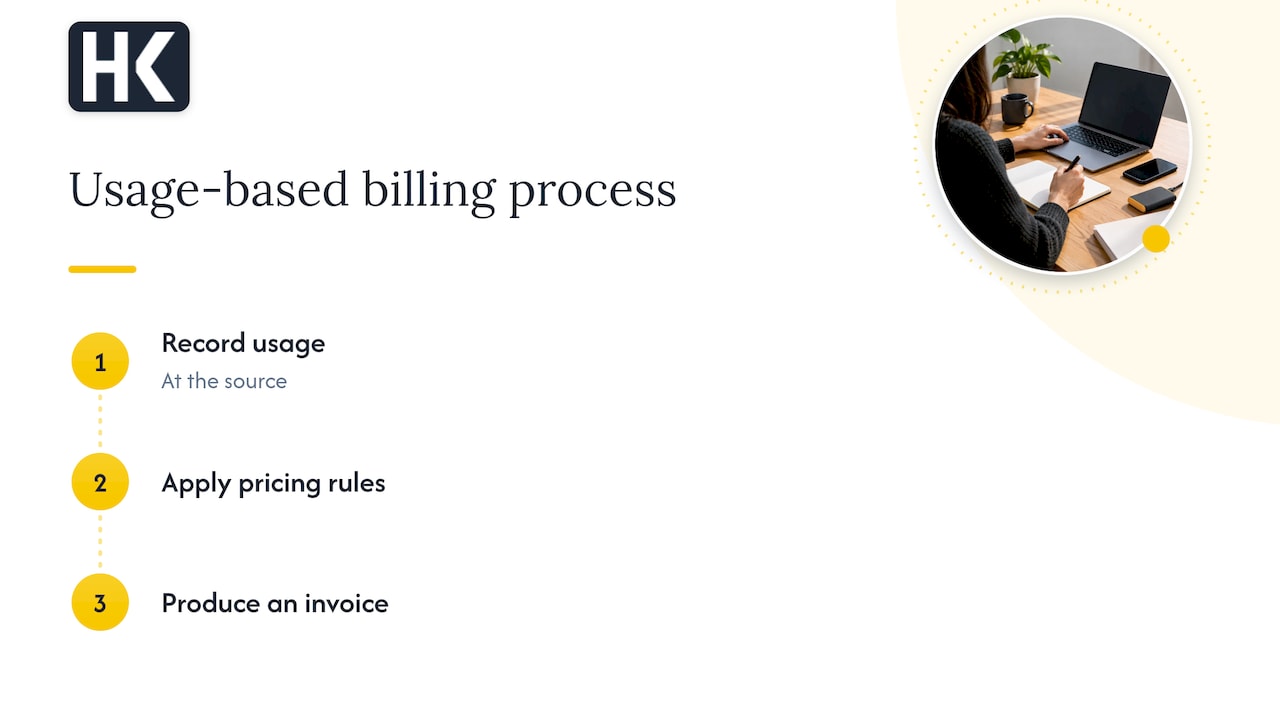
It also changes what you build. A usage-based product has to record usage at the source, apply pricing rules, and produce an invoice. Salesforce's own consumption pricing shows the range of terms buyers expect: pay as you go, pre-commit and pre-purchase. The first has no upfront commitment and bills monthly in arrears. The second commits the customer to a usage baseline. The third is paid upfront and drawn down over the contract.
That last point leads to a timing question that founders miss. Billing in advance means the invoice goes out before the period starts. Billing in arrears means it goes out after. In advance suits fixed subscriptions, but a failed renewal puts access at risk. In arrears suits usage-based plans, but you deliver the service before you are paid.
If you want to estimate what consumption-based pricing looks like in practice, a worked example of forecasting usage-based pricing shows how per-minute rates turn into a monthly figure. For the engineering side, I covered how usage-based billing works and how to build it in a separate guide.
Why a hybrid is common in B2B
Pure pay as you go is rare in B2B because company buyers dislike unpredictable costs. A committed base with overage above the allowance is the more common B2B structure: it keeps a revenue floor while letting accounts grow. Stripe describes the same pattern: tiered subscriptions with usage-based overages, plus custom contracts for enterprise clients.
How to choose a model for your product
Start with value, not your costs. One venture investor's pricing playbook says to quantify value in the customer's own units, aim to capture roughly 10 to 20 percent of it, and pick a metric the customer already counts that is correlated with value, predictable and hard to game. For most early B2B AI products, it suggests a flat monthly fee per company in two or three volume bands.
A good value metric, according to the Revenue Thesis guide, tracks value, is predictable for the buyer, is auditable, and grows with the account. It also notes that seats are predictable but stop tracking value once software automates work, while outcomes track value best but are the hardest to define and audit.
A practical way to apply this:
- Write down the job. What does the customer hire your product to do? A clinic booking tool, a freight document generator and an internal approvals app have very different units of value.
- Find the unit they already count. Appointments, shipments, documents, active staff. If the customer already tracks it, they will accept being billed on it.
- Check your cost shape. If each use costs you real money (compute, AI inference, storage), a flat price can lose money on your heaviest users. Usage or a capped allowance protects you.
- Check the buyer's procurement. An owner-operated business wants one predictable monthly number. A technical team may accept variable invoices.
- Pick one model, not three. The Revenue Thesis guide advises early-stage companies to offer one model per product. Adding complexity before you have ten paying customers makes both the pricing page and the code harder to change.
For most of the founders I talk to, a simple per-company flat fee in two or three bands, or three tiers with one clear upgrade trigger, is the right first version. You can add overage later if the billing code is structured for it. I go through more options in my guide to revenue model examples for B2B SaaS.
What the billing system has to do in code
This is where non-technical founders get surprised. Showing a pricing page and taking a card is the small part.
Stripe describes SaaS billing as a recurring process of charging customers on monthly or annual cycles. It works as a connected system: the customer subscribes, invoices are recalculated automatically on upgrades and downgrades, payment processing handles charges and retries for failed payments, and a self-service portal lets customers review invoices.
An upgrade alone involves several steps. One detailed breakdown lists seven stages: the customer requests a new plan, billing previews the adjustment, the subscription changes at the agreed time, an invoice is created with proration, it is finalized, collection is attempted (which can fail or need extra authentication), and the app grants or holds the new features. A subscription update is not the same thing as a successful payment.
So your app needs to answer questions like these:
- What happens to access if a renewal fails on day 3?
- What does a customer pay if they upgrade on day 15 of the month?
- Where do plan limits live, and who enforces them: the billing tool or your own code?
- How does the app learn that a payment succeeded, and what if that message arrives twice or late?
That last one is handled with webhooks, which are automatic messages from the payment provider to your app. A common failure in quickly built prototypes is that the app trusts the checkout page instead of waiting for the confirmed payment event, so access and payment drift apart.
Where prototypes break on billing
If you built your first version in Lovable, Bolt, Bubble or a similar tool, billing is often the first place the cracks show. A payment link works for the first five customers. Then someone wants an annual plan, a refund, a seat added mid-month, or an invoice with a VAT number, and the prototype has no place to put any of it.
This is the work I do in rescue rebuilds: the prototype becomes the specification, and the billing is rebuilt as maintainable code with plan, price, subscription and access kept apart. My stack is TypeScript, Next.js, Node, SQL and Stripe, chosen because it is widely known and the next developer can pick it up. If you want the detail of what that setup looks like, see my pages on Stripe billing for SaaS and SaaS payments setup.
How to tell whether your pricing is working
Once customers pay, the numbers tell you whether the model fits. Stripe's pricing and packaging guide suggests tracking:
- Expansion MRR rate (monthly recurring revenue from existing customers growing). Near zero means the upgrade path isn't working.
- Plan distribution. If 80 percent of customers sit on the lowest tier, the upgrade triggers or higher-tier pricing are wrong.
- Time to upgrade and churn by plan. Disproportionate churn on one tier points to a fit problem.
- Self-serve upgrade rate. If almost every upgrade needs a sales call, the packaging doesn't support self-service.
These only work if your app records plan changes and usage cleanly. That is another reason to keep billing data in your own database rather than only inside a checkout tool.
What a first build with billing costs
I offer a fixed-price Prototype Audit at €1,500, taking 3 to 5 days and credited against the build. It tells you whether your existing prototype can carry real billing or needs a rebuild. Builds start from €12,000 and rescue rebuilds run €12,000 to €20,000, delivered in two to four weeks. The price is possible because there is no agency overhead, no project-manager layer and no offshore markup: you speak to the senior engineer who writes the code, and you own it from the first commit.
If you have a prototype with payments that stopped working, or a Figma file and a pricing idea, you can see what I build on my site.
My view: choose the model you can change
Most founders spend weeks deciding between per seat and usage-based, and almost none of them spend an hour on how easily the choice can be reversed. I think that is backwards. Your first pricing model will be wrong in some detail, and you will learn which detail only from paying customers.
So when I build a first version, I keep plans, limits and prices in separate places, store billing events in your own database, and use boring, widely known tools. A pricing change then becomes a small task, not a rewrite, and the next developer can read what I wrote.
I also tell founders honestly when an off-the-shelf tool fits. If a simple subscription button covers your first ten customers, spending €12,000 on custom billing is not the right call yet. When you do need real logins, payments, upgrades and usage, I build one working thing, deploy it, and hand it over at a fixed price.
Hanad Kubat
FAQ
What is the difference between a pricing model and a billing model?
A pricing model decides what you charge and how it scales, for example per seat or per unit of usage. A billing model decides when and how you collect it, for example monthly or annual, in advance or in arrears, by card or invoice. You can change one without changing the other, which is why they are worth designing separately.
Which SaaS pricing model is best for an early B2B product?
There is no single best one, but simple wins early. A flat monthly fee per company in two or three bands, or three tiers with one upgrade trigger each, is easy to explain and to build. Stripe's B2B guide says the right choice depends on how customers use the product and measure value.
What is a pay-as-you-go model?
Customers pay only for what they use, such as API calls, documents processed or tasks run, usually billed monthly after the fact. It suits products with variable usage or high per-use costs. In B2B it is often combined with a committed base fee so the customer gets a predictable minimum.
Do I need custom billing code, or can I use a payment link?
A payment link is enough for your first few customers on one simple plan. Custom billing becomes necessary when you need upgrades with proration, seat changes, usage metering, failed-payment handling, or access that depends on plan status. That is usually the point where a prototype needs a proper rebuild.
Sources
- SaaS billing 101: What businesses need to know
- Recurring pricing models, Stripe Documentation
- SaaS Pricing Strategies, Microsoft
- Software pricing: Strategies for SaaS businesses, Stripe
- B2B pricing strategies to drive long-term growth, Stripe
- A Guide to SaaS Pricing and Packaging, Stripe
- Flexible Buying Models, Salesforce Pricing
- SaaS revenue models and billing models explained
- B2B SaaS pricing: the complete guide
- Pricing before you have pricing power
- Billing for SaaS: Models, Architecture, and Global Ops
- Consumption billing: what it is and why it matters
- Usage-based call automation pricing forecast