
TL;DR:
- CRM development requires in-depth expertise in data modeling, API design, security, and platform-specific frameworks to build resilient systems. Effective architecture, especially normalized schemas and clear API contracts, ensures scalability and maintainability, while proper telephony and external platform integrations demand disciplined handling of failures and loads. Prioritizing testing, code quality, and early planning leads to sustainable, compliant solutions that meet complex business needs.
Most developers treating CRM projects like configuration exercises end up with fragile systems that break under real business load. A skilled CRM developer works at the intersection of data modeling, API design, security architecture, and platform-specific extension frameworks. This guide covers what that actually means: the skill set required, how to design systems that hold up, how to connect CRMs with external platforms like telephony and ERPs, and when building custom is the right call versus configuring an existing SaaS solution.
Table of Contents
- Key takeaways
- What a CRM developer actually does
- Designing CRM architectures that last
- CRM system integration with telephony and external platforms
- Code quality, testing, and long-term CRM maintainability
- Custom CRM vs. no-code SaaS platforms
- My take on CRM development in the EU context
- Work with an engineer who has shipped this
- FAQ
Key takeaways
| Point | Details |
|---|---|
| CRM development requires engineering depth | Beyond UI configuration, CRM work demands API design, plugin architecture, and strict compliance knowledge. |
| Architecture decisions determine longevity | Normalized data schemas and API-first design prevent the technical debt that kills CRM projects at scale. |
| Telephony integration is technically complex | AMI-based real-time event streaming into CRM requires careful async handling and error-recovery design. |
| Testing targets are non-negotiable | Aim for 85%+ code coverage in CI/CD pipelines; 75% is the floor, not the goal. |
| Evaluate SaaS before building custom | No-code/low-code platforms handle more CRM workflows than most teams expect; custom builds should be a deliberate choice. |
What a CRM developer actually does
The term "CRM developer" covers more ground than most job descriptions admit. At the surface level, it sounds like form customization and dashboard configuration. In practice, CRM software engineers write production-grade code that handles real-time data flows, enforces business rules at the database layer, and exposes integration points to dozens of other systems.
The core skill areas break down like this:
- Platform-specific languages and frameworks. Salesforce development centers on Apex (a Java-like language with governor limits), Lightning Web Components, and SOQL. Dynamics 365 work requires C# for plugin development, JavaScript for client-side logic, and deep familiarity with the Power Platform. Both platforms reward developers who understand the execution model, not just the syntax.
- Metadata-driven architecture. Dynamics 365's extensibility model is built on metadata, meaning you extend behavior through plugins and APIs without touching core platform code. This keeps upgrades safe and extensions maintainable. Understanding this distinction separates CRM engineers from CRM configurators.
- API and plugin development. REST and SOAP APIs for external integrations, plugin registration for internal event handling, and webhook management for real-time triggers are daily work. You need to understand async vs. sync execution and what each choice costs in performance.
- Security and compliance. In the DACH/EU context, every CRM system touching personal data operates under GDPR. Developers need to design for data minimization, implement proper access controls, and document data flows. EU AI Act compliance is increasingly relevant when CRM systems incorporate scoring or predictive models.
- CI/CD and deployment. Scratch orgs, sandboxes, version control with Git, and automated deployment pipelines are standard practice. This is production engineering, not manual click-deployment.
Pro Tip: Set up a scratch org per feature branch from day one. Retrofitting proper sandbox discipline onto an existing Salesforce project costs three times as much time as starting with it.
Designing CRM architectures that last
Most CRM projects fail at the architecture stage, not the coding stage. Teams start building entities and workflows before they have a clear data model, and six months later they're fighting a schema that doesn't reflect the actual business process.

Data schema design
Start with normalized relational models. Map your entities (accounts, contacts, opportunities, interactions) and their relationships before writing a single line of code. Denormalization for performance is a deliberate optimization you make later. Doing it upfront because "it's simpler" creates query nightmares.
Well-designed CRMs expose all key functions as API endpoints with OpenAPI specs, enabling integration by any external system without bespoke connectors. Design this from the start. Retrofitting an API layer onto a tightly coupled custom CRM is painful and expensive.
Modular vs. monolithic approaches
| Approach | Suitable for | Key trade-off |
|---|---|---|
| Monolithic CRM build | Single team, stable requirements, fast initial delivery | Higher coupling, harder to scale specific modules independently |
| Modular/microservices | Multiple teams, high integration needs, evolving requirements | More infrastructure overhead, but independent deployment of features |
| SaaS platform + extensions | Standard workflows with specific custom logic | Vendor lock-in risk; faster delivery within platform constraints |
| Hybrid (SaaS core + custom services) | Most production CRM deployments | Balances speed and flexibility; requires disciplined API boundaries |
Role-based access control deserves its own design session. Map out who sees what data at the record level, the field level, and the report level before you build. Bolting this on after the fact creates gaps.
Pro Tip: Document your API contracts and business logic decisions in a shared repo, not in someone's head or a stale Confluence page. CRM systems outlast the teams that build them. The developer who comes after you will thank you.
For teams evaluating where CRM fits in a broader SaaS architecture, the question of web app vs. mobile app is often intertwined with CRM front-end decisions.
CRM system integration with telephony and external platforms
This is where CRM projects get genuinely hard. Connecting a CRM to a telephony system, ERP, or SMS gateway in a way that handles failures gracefully and stays performant under load is not a configuration task.
For telephony integrations, Asterisk Manager Interface (AMI) is the dominant approach for real-time call event streaming. AMI works as a TCP socket interface that pushes events (call answered, call ended, call disposition) directly into the CRM. This lets agents update records during live calls instead of after. The catch: AMI streams are stateful and require proper connection management. If your consumer crashes, you lose events. Build an event buffer and a reconnection strategy from day one.
Key integration best practices for any CRM system integration project:
- Handle synchronous and asynchronous separately. Real-time UI updates (caller ID popping on screen) need sync paths. Contact record sync after a call ends should be async. Mixing these creates performance problems.
- Respect API rate limits. Salesforce enforces daily and concurrent API limits. Dynamics 365 has service protection limits. Build a queue and a retry mechanism rather than calling APIs in tight loops.
- Monitor integration layers explicitly. A CRM that silently drops SMS messages or loses call records is worse than a CRM that throws an obvious error. Instrument every integration point with structured logging and alerting.
- Use JWT tokens with refresh rotation for secure CRM API authentication. Stateless JWTs work well for custom CRM API flows where session management adds unnecessary complexity.
- Test failure modes, not just happy paths. What happens when your ERP goes down mid-sync? Your CRM integration should queue, retry, and alert. Most teams test the sunny day scenario and discover the rainy day scenario in production.
Understanding Dynamics 365's plugin execution pipeline matters specifically for integration work. Pre-Validation, Pre-Operation, and Post-Operation stages each have different transaction behaviors. A plugin throwing an exception in Pre-Operation rolls back the entire database transaction. Getting this wrong causes data corruption that is very difficult to diagnose after the fact.
Code quality, testing, and long-term CRM maintainability
Custom CRM solutions accumulate technical debt faster than most application types. The business logic is complex, the platform constraints are strict, and teams often cut testing corners under deadline pressure. Here is the discipline that actually prevents that.
- Bulkify every trigger and handler. In Salesforce Apex, triggers must handle up to 200 records per execution. Putting SOQL queries or DML statements inside loops hits governor limits in production, even if unit tests pass with single records. Write bulk-safe code from the first line.
- Enforce code coverage targets. Salesforce CI/CD requires 75% coverage as a deployment minimum. Treat 85% as your actual target. Tests that only exercise the happy path give you coverage numbers without giving you confidence.
- Use layered architecture. Separating logic into service layers, domain validation, and selectors keeps Apex code maintainable. A flat structure where triggers contain all business logic becomes impossible to test and impossible to change without breaking something.
- Version control everything. This means metadata, configuration, and code. Use feature branches per user story, not a single development org where everyone's changes collide. Salesforce DX and the Dynamics 365 solution layering model both support this, but teams have to choose to use them properly.
- Automate your deployments. Manual deployments to production are a liability. Set up a pipeline that runs tests, checks coverage, validates metadata, and deploys without human clicks. The upfront cost is a few days; the long-term cost of not doing it is measured in production incidents.
Pro Tip: The CRM developer who writes the most features the fastest is rarely the one who delivers the most value. The one who ships reliable code with proper test coverage, clean APIs, and documented logic is the person the team actually depends on a year later.
Custom CRM vs. no-code SaaS platforms
The best CRM developers know when not to build. No-code and low-code platforms now handle pipeline management, contact tracking, activity logging, and reporting workflows that once required custom development. The evaluation should start there, not end there.
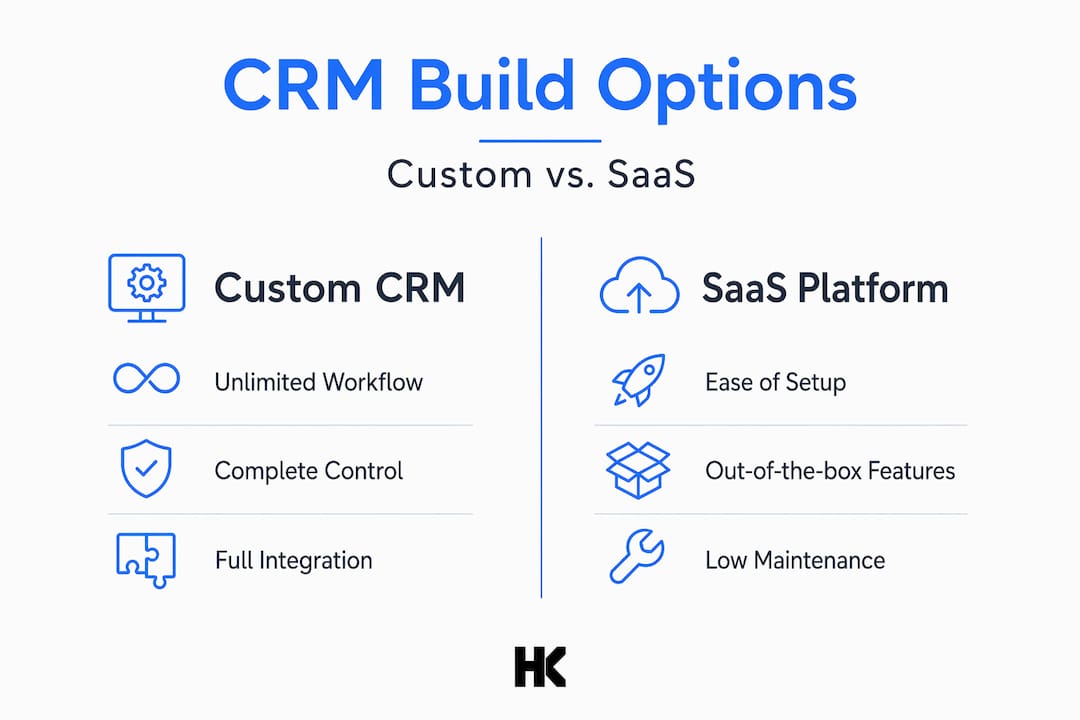
| Criteria | Custom CRM build | No-code/low-code SaaS |
|---|---|---|
| Workflow complexity | Arbitrary; you define the logic | Constrained by platform capabilities |
| Time to first value | Weeks to months | Days to weeks |
| Maintenance burden | Full ownership | Vendor handles infrastructure |
| Integration flexibility | Complete control | Depends on available connectors |
| Cost at scale | Predictable; no per-seat pricing | Can become expensive per user |
The honest answer for most DACH Mittelstand IT teams: if your CRM workflows match what a SaaS platform offers, configure it and spend your engineering budget on the integrations that differentiate you. Build custom when your business process genuinely cannot fit the platform model, not because building feels more impressive. Teams exploring how to launch a SaaS MVP fast often find that starting with a SaaS CRM core and custom-building the edges is the fastest path to a working product.
My take on CRM development in the EU context
I've worked on CRM projects across contact centers, SaaS platforms, and government-adjacent infrastructure. The most consistent lesson: teams that treat the CRM as an integration foundation get dramatically better results than teams that treat it as a UI to configure.
In my experience, the telephony integration work is where real engineering discipline shows. Streaming AMI events reliably into a CRM while handling dropped connections, out-of-order events, and partial failures is not glamorous. It requires the same discipline as any distributed systems work. Most failures I've seen in contact center CRM deployments trace back to assumptions that the event stream would always be clean.
GDPR compliance in CRM design is not an afterthought in the DACH market. Data minimization at the schema level, field-level encryption for sensitive contact attributes, and audit logs for data access are requirements, not nice-to-haves. The EU AI Act adds another layer when CRM systems score leads or predict churn. Categorizing those models and documenting the risk dimensions takes real engineering time.
What successful custom CRM projects consistently get right is architecture discipline early. Agreed-upon data models before development starts, API contracts documented before they are consumed, and test coverage enforced before the first deployment to production. None of it is complicated. It just requires that someone on the team has done it before and insists on it.
— Hanad
Work with an engineer who has shipped this
If you are evaluating custom CRM development or need to untangle an integration layer that has grown fragile, working with someone who has built these systems end-to-end makes a concrete difference. Hanadkubat brings engineering experience from BMW, Deutsche Bahn, and Bundesrechenzentrum Austria to every engagement, with fixed pricing and direct code ownership from day one.
Track 2 at Hanadkubat covers SaaS MVP and custom development engagements starting from €4,500 for rescue and scale work, with full MVP builds from €18,000. Strategy sprints to scope CRM architecture or integration projects run at €1,500 and deliver a concrete plan in one week. No project managers between you and the engineer writing your code. Detailed service information is available at hanadkubat.com.
FAQ
What skills does a CRM developer need?
A CRM developer needs platform-specific language skills (Apex for Salesforce, C# for Dynamics 365), API and plugin development experience, data modeling knowledge, and compliance understanding covering GDPR and relevant security frameworks.
What is the minimum code coverage for Salesforce CRM deployments?
Salesforce requires 75% minimum code coverage for production deployments, but 85% or higher is the recommended target for reliable CI/CD pipelines.
When should you build a custom CRM instead of using a SaaS platform?
Build custom when your business workflows genuinely exceed the constraints of available no-code or low-code platforms. For most teams, a SaaS core with custom integration layers is faster and more maintainable than a full custom build.
How does telephony integration work in custom CRM solutions?
Telephony platforms like Asterisk use the AMI TCP socket interface to stream real-time call events into the CRM, enabling live record updates and call disposition sync during active calls.
How do Dynamics 365 plugin stages affect CRM integration design?
The three pipeline stages (Pre-Validation, Pre-Operation, Post-Operation) determine when a plugin runs relative to the database transaction. Exceptions in Pre-Operation roll back the full transaction, making stage selection a critical architectural decision for data integrity.